Menu
Before you order
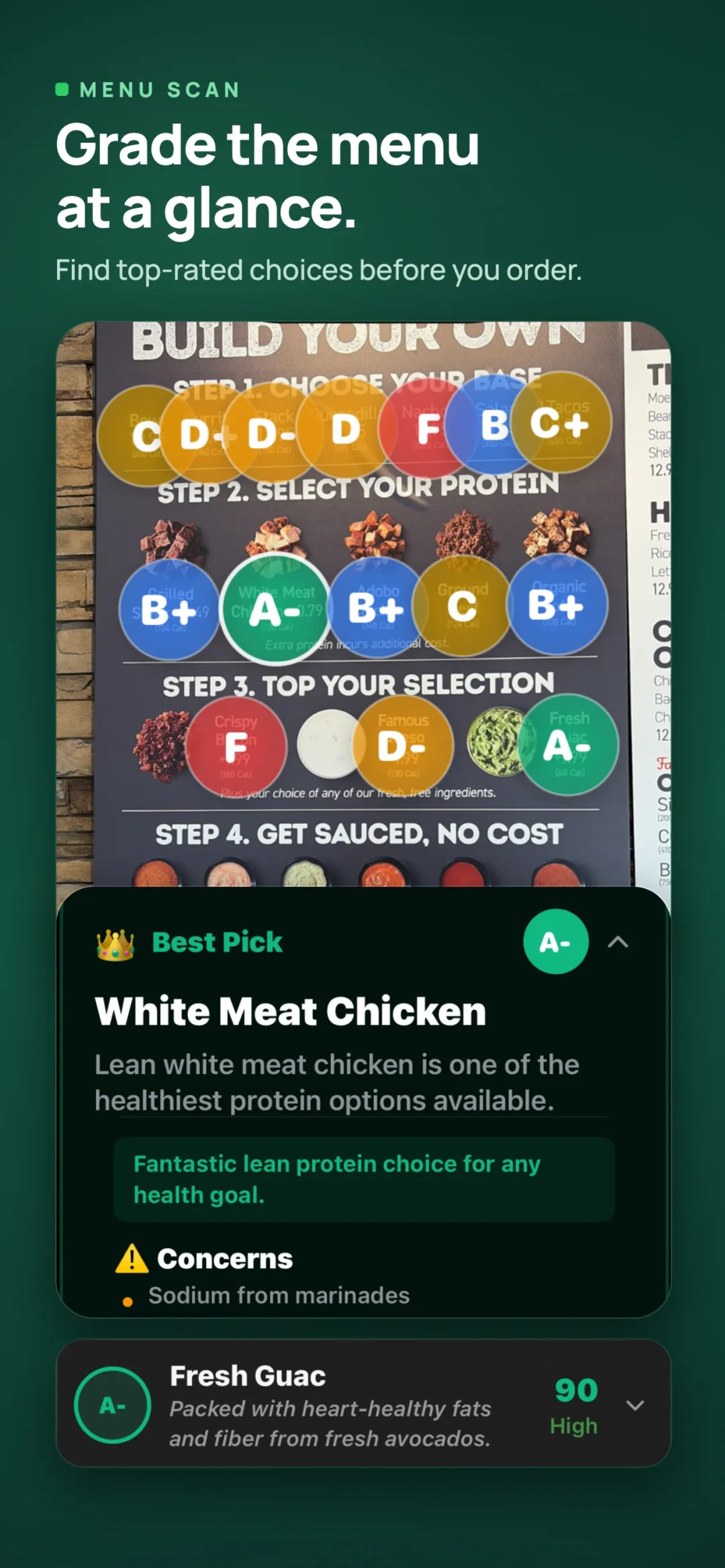
Compare detected dishes, estimated grades, and a Best Pick, even when the menu has no nutrition labels.
Before you order, get a little more context. Photograph a menu to compare the dishes GradePlate detects, see estimated A–F grades, and find a Best Pick for your goals.
Free to download on iPhone, iPad, and Android. Limited free analyses; optional Premium.
AI estimates can miss ingredients or portions. Confirm allergens with the restaurant or manufacturer.
At the restaurant. At the table. In the aisle.
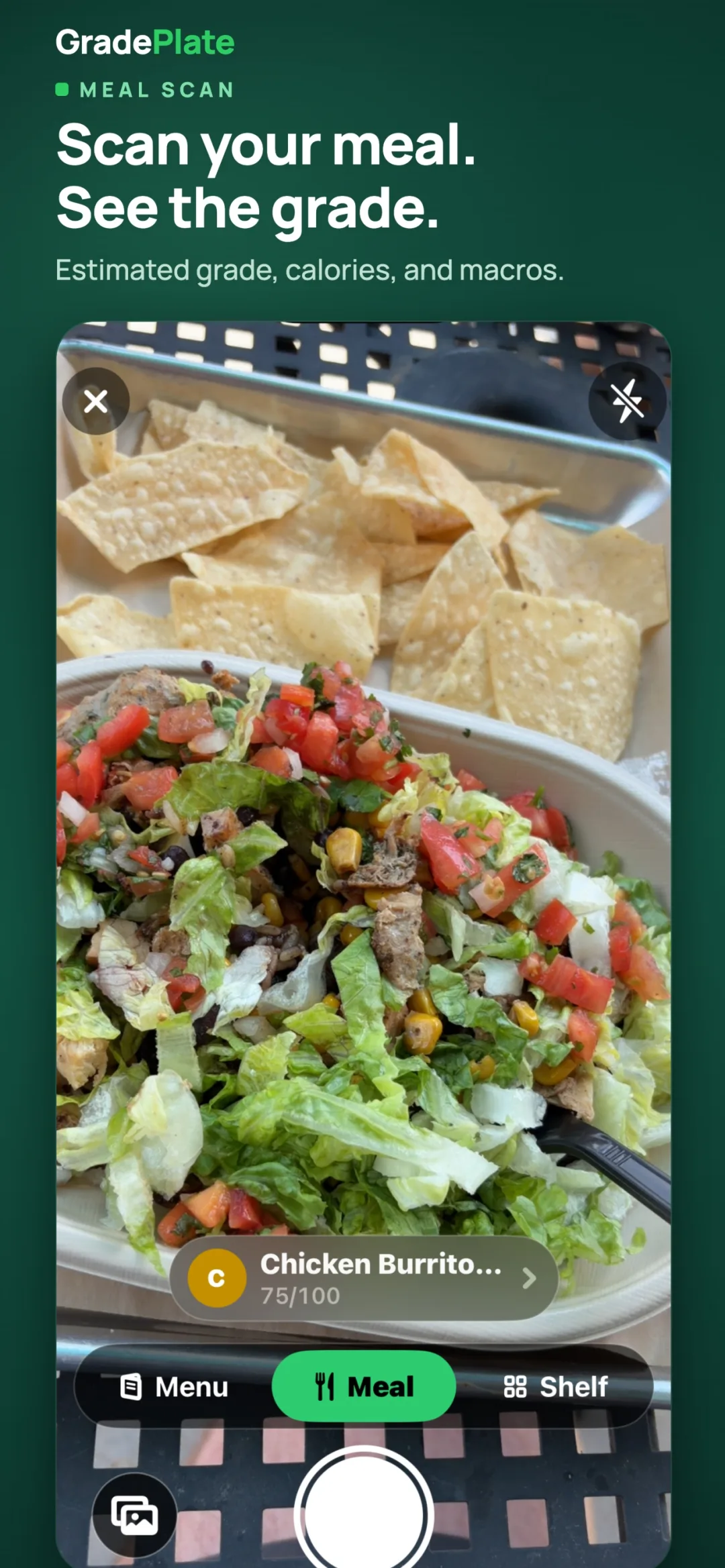
Take a photo in Meal, Menu, or Shelf mode. GradePlate estimates nutrition from what it can detect, then explains the result.
Compare detected dishes, estimated grades, and a Best Pick, even when the menu has no nutrition labels.
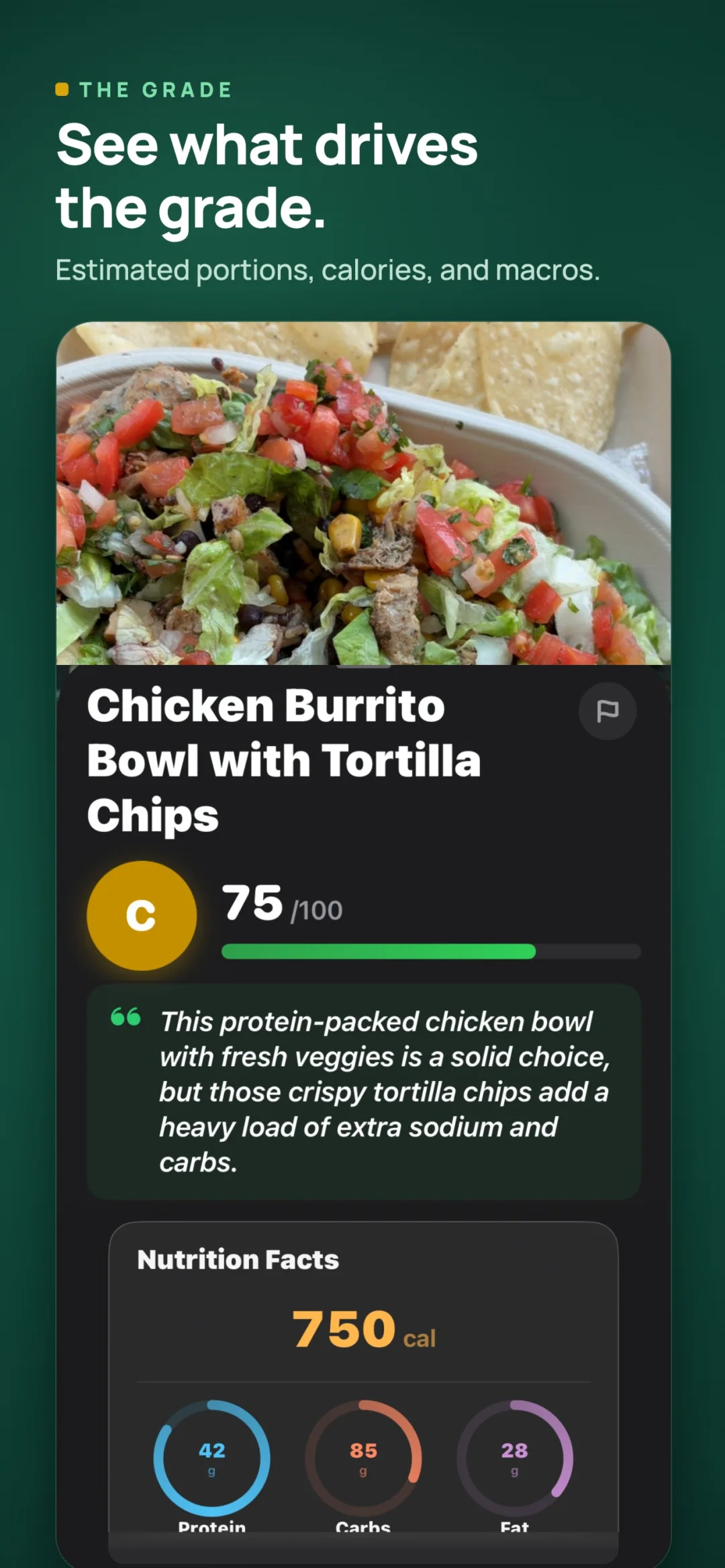
Get an estimated grade and nutrition breakdown, then save the meal to your daily log.
Compare the packaged foods GradePlate identifies in a shelf photo, with reasons behind the suggested choice.
No name or email needed to start. Photos you choose to analyze are sent to a Google AI service; analysis needs an internet connection.
Compare a menu, scan a meal, read its grade and explanation, then explore the shelf scanner.
Published iPhone previews with example results. Android layouts may differ. Open any screenshot to view it full size.
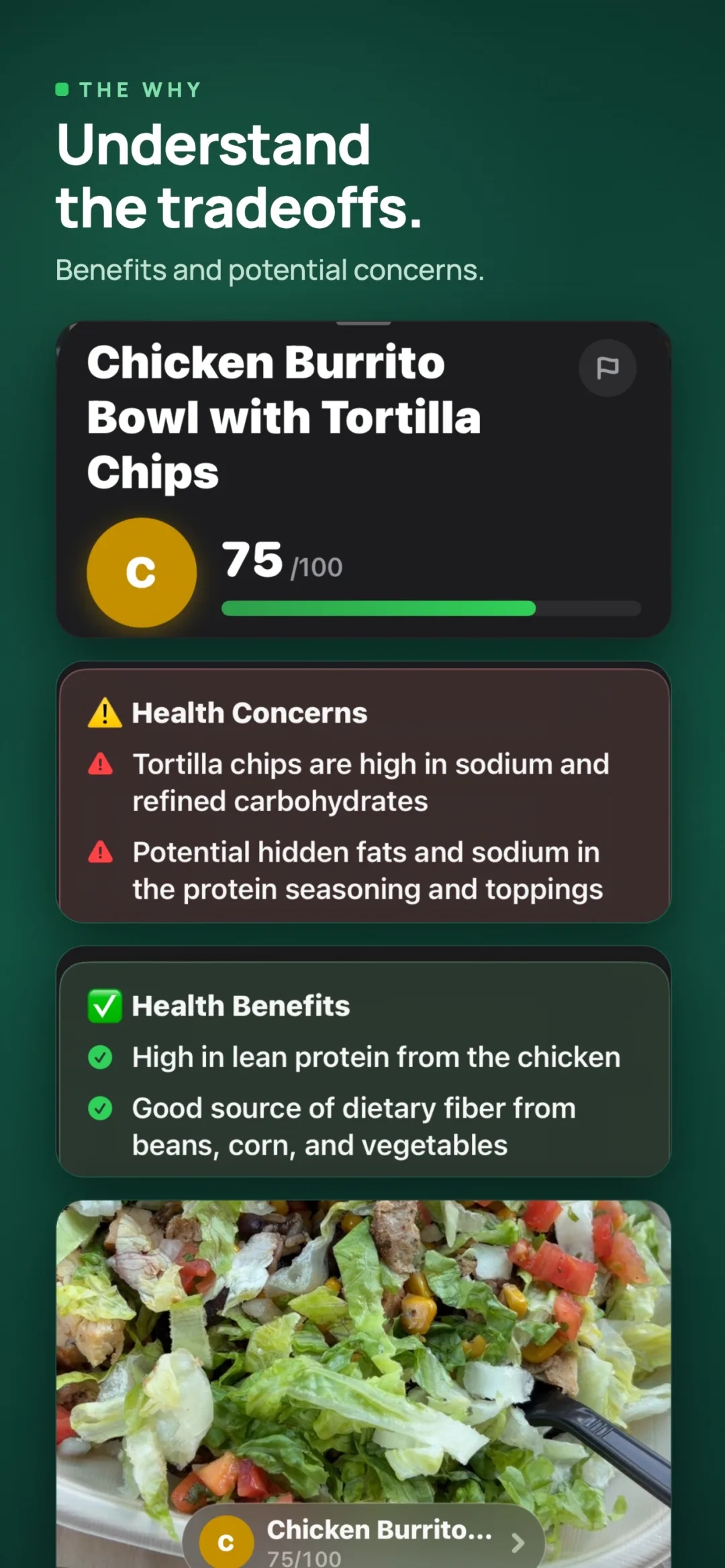
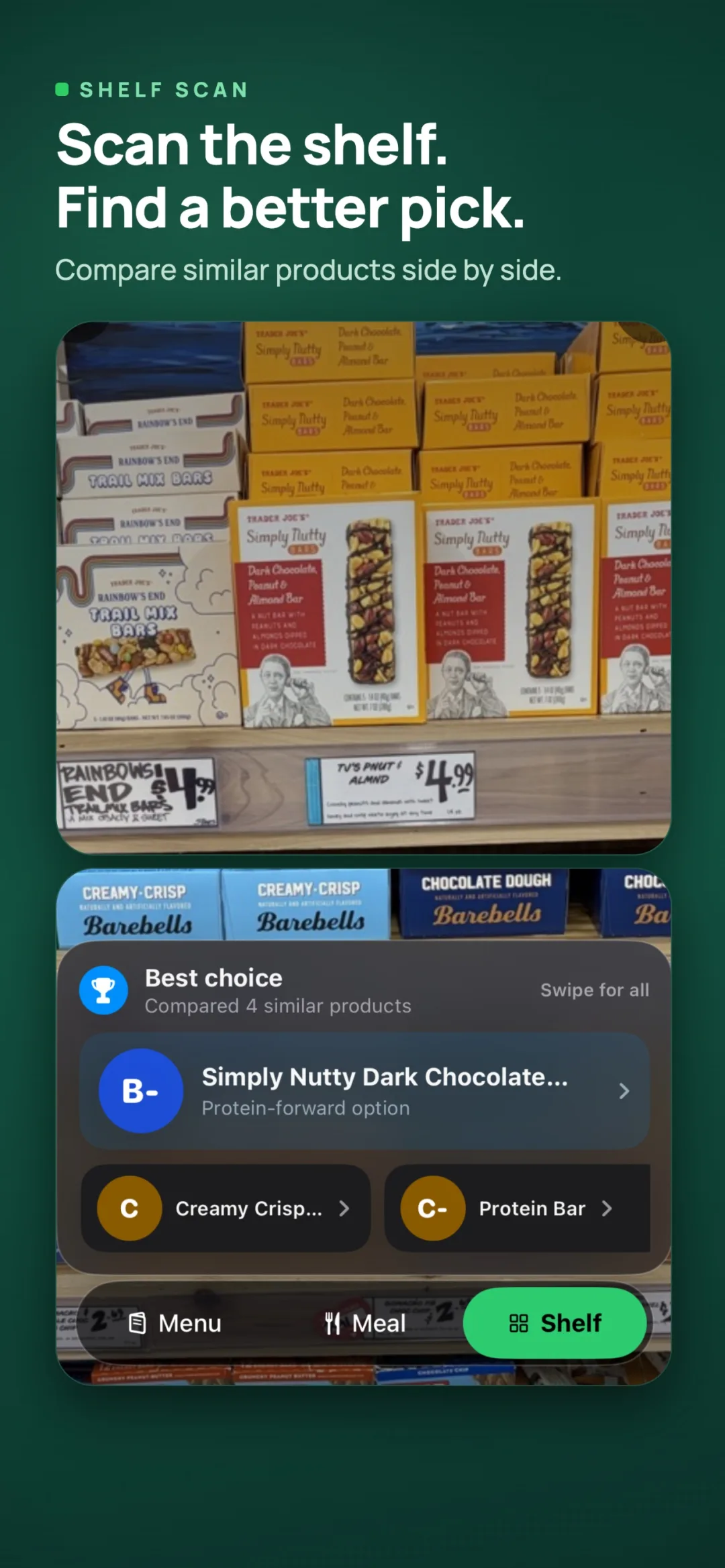
Built for the moment you're holding a product, or a menu, and want a straight answer.
Photograph a restaurant menu to compare detected dishes, see estimated A–F grades, and highlight a Best Pick. Useful guidance where no nutrition label exists.
Photograph a meal, menu, or grocery shelf and get a clear letter grade with macros and concern flags.
AI considers the visible food, nutrition information, ingredients, and the context you provide to estimate each grade.
Choose whether to provide a health profile and enable its use in analysis. GradePlate can use those preferences to personalize its explanation.
Suggestions grounded in real-time search: where to actually buy something better, not stale database lookalikes.
A calorie ring, macro bars, and per-meal breakdowns, plus your scan history and streaks.
Quick Scan and Daily Score widgets put a scan and today's progress one tap from the home screen. Available on Android.
GradePlate's grades and verdicts are informational only. They are not medical, dietary, or nutritional advice, and they are not a substitute for a qualified healthcare provider. Always consult a professional before making changes to your diet or health regimen.
A photo cannot establish food safety or rule out an allergen. Verify ingredients, preparation, and cross-contact risks directly with the restaurant or manufacturer.
GradePlate works without a name, email, or phone number. Optional Apple, Google, or email sign-in can help you keep a stable account and restore Premium access.
A random anonymous identifier is created for basic use. Your selected image goes to a Google AI service for analysis. Health-profile processing and optional analytics are choices you control in Data & Privacy.
Before your first scan
They are AI estimates based on visible food, available nutrition information, and the context you provide. Portions, preparation, and hidden ingredients can change the result. Use the explanation as context, and check labels or ask the restaurant when accuracy matters.
No. A complete health profile is optional. You can choose whether relevant goals, dietary preferences, and health information may be used in analysis through Data & Privacy.
New AI analyses need an internet connection. Your recent analyses, meal logs, and profile are normally stored locally on your device.
The app includes a limited number of free analyses. Premium unlocks unlimited analyses. Current prices, renewal terms, and any trial eligibility are shown in the app and your store before purchase.
The iPhone app supports twenty languages, including Arabic, English, French, German, Hindi, Japanese, Korean, Portuguese, Spanish, and Simplified and Traditional Chinese. Its 1.0.1 update improves localization and right-to-left layouts.
GradePlate is free to download with limited scans. Premium unlocks unlimited analyses and is offered in the app, with a free trial for eligible new subscribers; prices and terms are shown by the App Store or Google Play before purchase.
Questions? Reach us at [email protected]