A suggestion you can check.
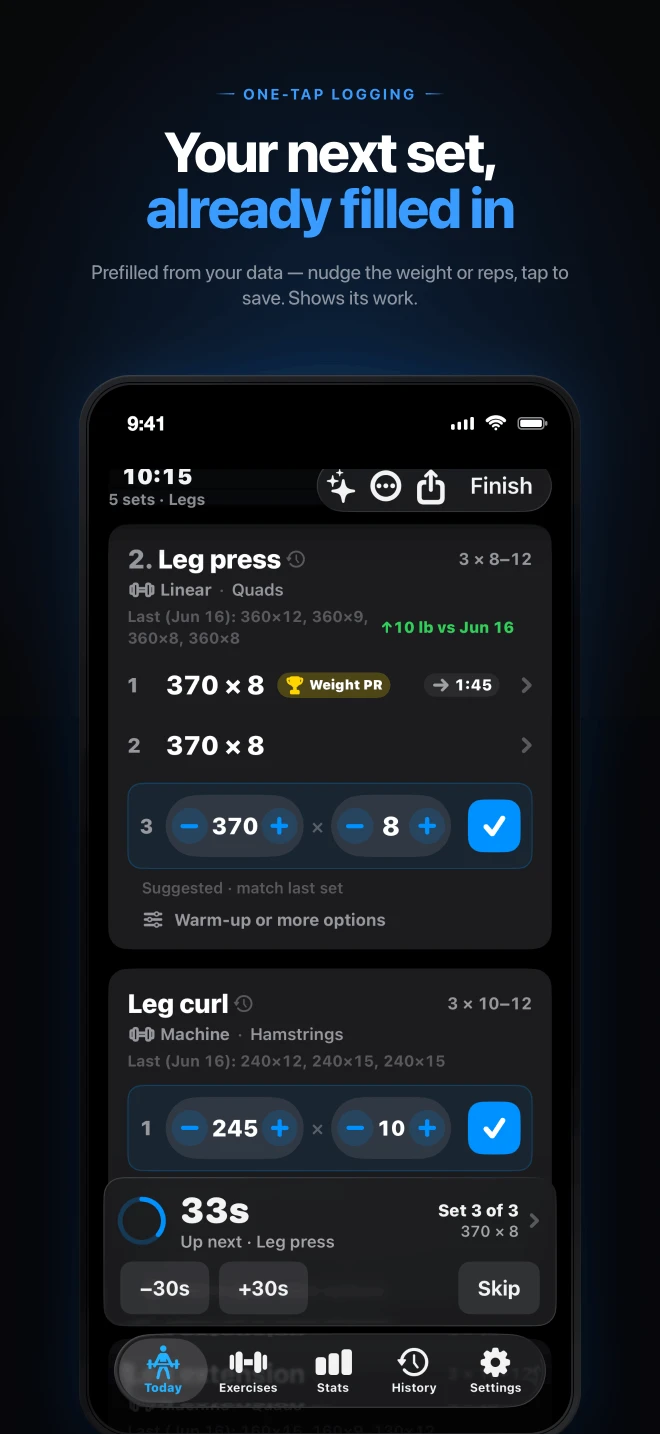
Your previous workout stays visible. Prefilled weight and reps come with a source, so you can match the suggestion or change it. When it fits, one tap saves the set.
See what you lifted last time. Log what you do today. Cadence keeps your sets, rest, and progress close at hand, so your workout can keep moving.
Free core. No account. No ads.
Optional Cadence Pro unlocks AI Coach.
During the workout
The last session, the next set, and the tools you reach for between them. All in the same workout log.
Your previous workout stays visible. Prefilled weight and reps come with a source, so you can match the suggestion or change it. When it fits, one tap saves the set.
Choose strength, hypertrophy, or conditioning to set your default rest timing. Adjust it by exercise or set type. Local notifications let you put the phone down between sets.
Start with Push/Pull/Legs, Upper/Lower, Arnold, PHUL, Bro Split, or Full Body. Edit the exercises and rep ranges, create your own exercises, and log warmups, drop sets, or rest-pause sets.
Work in pounds or kilograms, calculate the plates for your bar, and undo an accidental save. Weekday reminders help you make time for the next workout.
Apple Watch and Wear OS companions let you follow the active workout and log sets. On Apple Watch, use the Digital Crown to adjust weight. Each companion works with its paired phone.
With your permission, save finished workouts and body-weight entries to Apple Health or Health Connect. On iPhone, you can also record workout effort for Apple Health Training Load. These connections are optional.
After the workout
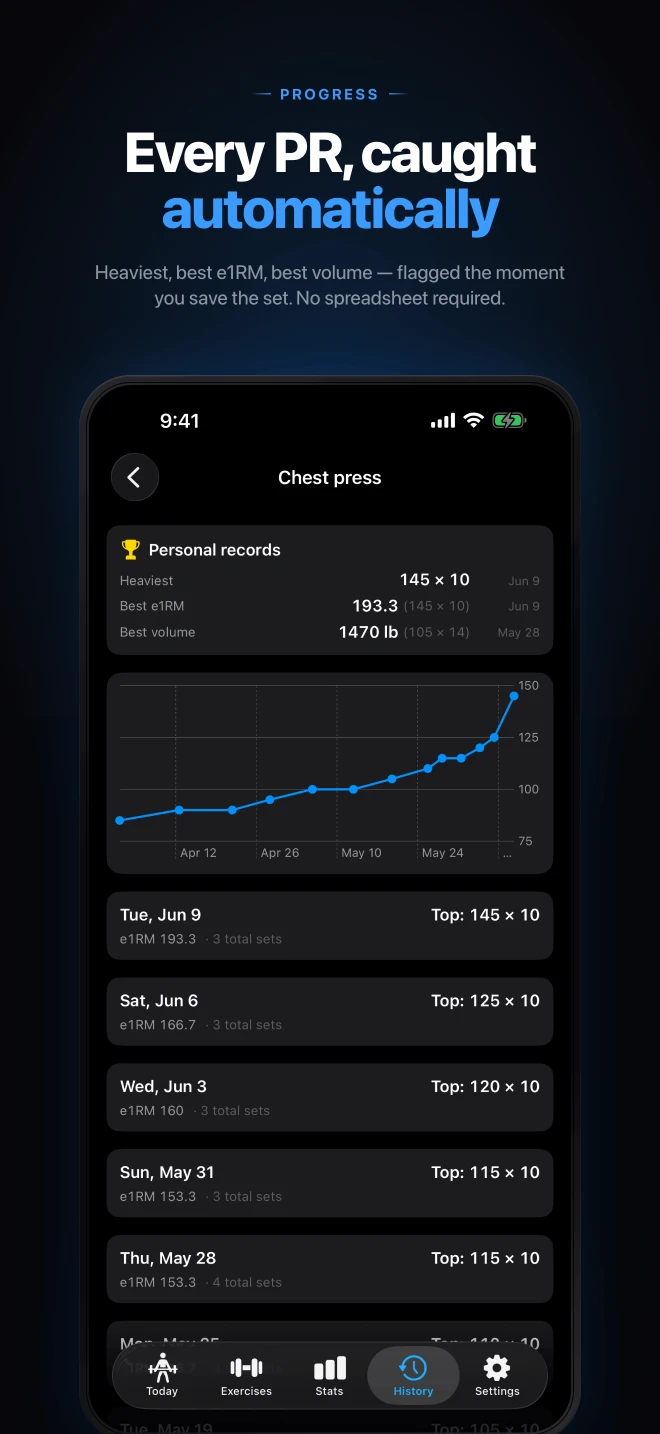
A heavier set. An extra rep. A month of showing up. Look back at your own history to see what changed.
Already keeping a log?
Import a CSV export from Strong on iPhone or Android. The iPhone app also imports Hevy and FitNotes exports, so your previous workouts can become part of the picture.
Starting fresh? Pick an editable starter routine or build your own with the exercise library. There is no account setup to get through first.
Get help with your workout logYour workout history is stored on your phone. Cadence has no advertising SDKs or third-party analytics, and you do not need a profile or public feed to use it.
Optional features have their own data flows: Coach messages send training context to our service and Google, iPhone Live Activities use a timer relay, and health connections need your permission. Google may retain Coach content for up to 55 days for abuse monitoring. You choose whether to use these features.
Read the full privacy policyNo account is required. Workout logging, routines, history, stats, watch companions, health integrations, and export remain free, with no ads. Cadence Pro is an optional monthly or yearly subscription for AI Coach.
Cadence Pro unlocks the optional Coach, which can discuss the training you have logged, including sets, personal records, and your training goal. It is for adults 18 and older. Sending a message sends relevant training context and conversation to our service and Google. Google may retain it for up to 55 days for abuse monitoring. You can use every core workout feature without Coach. AI responses can be wrong and are not medical advice; see the privacy policy for the full data flow.
Yes: export a user-owned JSON backup from Settings → Data, save the file somewhere you control, then import it on the new device. Keep a backup before uninstalling or replacing your phone. Continuous phone-to-phone sync is not available. Version 1.2 has a temporary read-only recovery path for archives from the earlier iPhone iCloud feature; check your installed version and the support page for those steps.
The phone schedules a local rest notification, so you do not need to keep the app open. Notifications must be allowed, and Focus, Do Not Disturb, or battery settings can affect alerts. On iPhone, Live Activities also put the timer on the Lock Screen and Dynamic Island on supported devices.
iPhone requires iOS 18 or later, with an Apple Watch companion for watchOS 10 or later. Android phones require Android 9 or later. Check Google Play on your watch for Wear OS compatibility and availability. The screenshots here show the iPhone app; Android has its own layout.
Start your free workout log on iPhone or Android.